 TritonPanels
How to read this
US App Store prices below are United States prices on that date. They are not a quote for Ireland or anywhere else. TritonPanels never prints its own price: the store shows it. Start with the buyer’s checklist if you want the questions before the names. Android is a different list: best comic reader apps for Android.
The short table
| App | Best at | Price, as published | Gap |
|---|---|---|---|
| Panels | iPhone, iPad and Mac, with a free tier and a one-time purchase as well as a subscription | Free download. Premium is Panels+ (monthly or yearly, with a trial) or a one-time Panels 3 purchase. The guide does not print a number. | No Android app. The developers said on 8 September 2026 they would like to revisit Android in 2027. |
| TritonPanels | The same library on iPhone and Android, including Komga and Kavita with two-way progress | No free version. 14-day trial, then monthly or yearly. No ads, no account. | No Mac, no web, no one-time purchase |
| YACReader | A free desktop library and server, with an iOS app that syncs to it | Desktop and server are free. The iOS app was $4.99 once on the US App Store, version 3.41.0, updated 9 October 2026. | Features page describes YACReaderLibrary sync, not Komga or Kavita |
| Chunky | A simple iPad library for CBZ, CBR, CBT and PDF, with a lot of cloud sources | Free to download, with a Pro upgrade. The listing does not show the Pro price in the lookup used here. | iPad. Version 2.5.10, and no update since 16 August 2020. |
| Smart Comic Reader | Double-tap a panel and the app zooms to it, aimed at small screens | $2.99 on the US App Store. Version 2.0.0, updated 24 February 2026. Requires iOS 18.3. | The listing describes CBZ, CBR and PDF, stored in an iCloud folder. It does not mention Komga. |
| ComicFlow | Read CBR, CBZ and PDF, and convert archives to PDF or CBZ, offline | $2.99 once on the US App Store. Version 3.6, updated 12 October 2026. The listing says no ads, no account and no subscription. | A reader and converter. The listing does not mention Komga or Kavita. |
Panels
Panels’ homepage describes a DRM-free reader for iPad, iPhone and Mac. The free app can import, organise and read. Premium, documented in their guide, adds cloud libraries, OPDS, page filters, text detection and panel-by-panel navigation. You can pay monthly or yearly (Panels+, with a trial) or buy Panels 3 once and keep that version’s features. Their Mac page says Komga and Kavita sync progress back to the server with no Panels account, and that Calibre progress syncs through a free Panels account because Calibre has no progress API. SMB, Dropbox and OneDrive are Premium. The homepage says OPDS 1.2 is supported and OPDS 2.0 is “soon”. The US listing was version 3.13.8, updated 13 October 2026, rated about 4.8 from 12,538 ratings.
Panels is the better app if you want a Mac, a free tier, a one-time purchase, page curl, their own DRM-free store, or Calibre progress that follows you. Their Mac page says Calibre progress syncs through a free Panels account, because Calibre has no progress API. TritonPanels keeps Calibre progress on the device and does not offer that sync. TritonPanels is the better app if the other device is Android, or if you want OPDS 2 now. The longer version is TritonPanels vs Panels.
TritonPanels
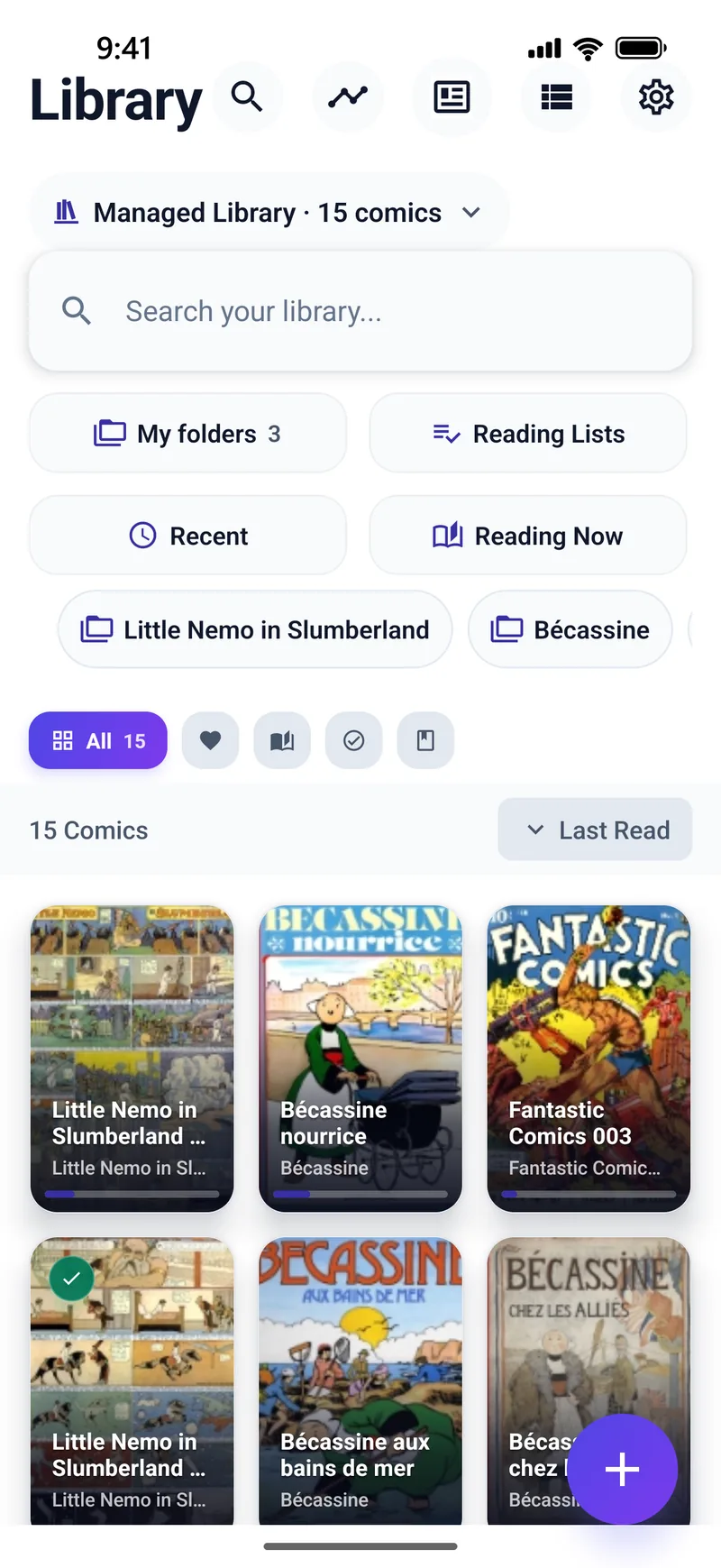
TritonPanels is iPhone, iPad and Android only. It reads CBZ, RAR4 CBR, CB7, CBT, PDF and image-based DRM-free EPUB, including from Komga, Kavita, OPDS, SMB, cloud folders, USB and Wi-Fi transfer. Panel by Panel runs on the device. There is no free version and no one-time purchase. That is a real disadvantage next to Panels and next to YACReader’s $4.99 iOS app.
YACReader
Choose YACReader when the collection already lives in YACReaderLibrary. The iOS app streams it, imports files, syncs progress, does guided panel reading, and on iOS 18 can translate a page on the device. The store description includes RAR5, which TritonPanels does not open. Choose TritonPanels when the server is Komga or Kavita rather than YACReaderLibrary.
Chunky
Chunky’s US App Store listing is version 2.5.10, released 16 August 2020, the latest version the listing shows, so there has been no update since that date. The app is for iPad, free to download, with a Pro upgrade for shared folders, FTP, Calibre and Ubooquity. It understands CBZ, CBR, CBT, PDF and ComicRack tags. If you want an app that is still shipping fixes in 2026, look elsewhere. Details are on the Chunky alternative page.
Smart Comic Reader and ComicFlow
Smart Comic Reader’s listing is specific: double-tap a panel, the app finds the boundary and zooms in, then tap the side for the next panel. Comics can live in an iCloud Drive folder. It lists CBZ, CBR and PDF. It is a strong small-screen reader and a weak server client, because the listing never mentions one.
ComicFlow’s listing says it reads CBR, CBZ and PDF with no ads and no account, converts archives to PDF or CBZ, and includes Wi-Fi upload and vertical scroll. Pro, described as a further one-time purchase in the listing text, adds EPUB export. It is a good own-files reader and converter. It is not a Komga client.
Frequently asked questions
What is the best comic reader for iPad?
Panels is the strongest all-round Apple app if you also want Mac, a free tier and a one-time purchase. TritonPanels is the one to add when you also read on Android or on Komga and Kavita without a vendor account. YACReader is the one to add when the library is already YACReaderLibrary.
Is Chunky still updated?
The US App Store listing shows version 2.5.10, released 16 August 2020, as the current version.
Can I read CBZ on an iPhone without zooming every page?
Panel-by-panel readers exist for that. TritonPanels, Panels (in Premium) and Smart Comic Reader all describe a mode that moves panel to panel. See the panel-by-panel page.
Which of these run on Android too?
TritonPanels and YACReader do. Panels, Chunky, Smart Comic Reader and ComicFlow, from the pages checked here, do not.
Sources
Checked 15 October 2026. Claims about other apps come from the pages linked below. TritonPanels claims come from this site. A store price is the price that listing showed, and it can differ by country.
Read your comics with TritonPanels
A comic and manga reader for iPhone, iPad and Android. CBZ, CBR, CB7, CBT, PDF and image-based EPUB from your device, your cloud, a network share or your own Komga, Kavita or OPDS server — single page, spreads, continuous scroll or Panel by Panel. No ads, no account. 14-day free trial, then a monthly or yearly subscription.
Your own files: TritonPanels reads comics you already have. It does not sell, host or supply comics, and it cannot open copy-protected (DRM) purchases that are locked to another store’s app. Komga, Kavita, Calibre, Dropbox and the other names on this page belong to their owners, who do not endorse TritonPanels.