 TritonPanels
What the app actually has
The reading modes are Single Page, Double Page, Continuous Scroll and Panel by Panel. For a long strip, choose Continuous Scroll and set Page fit to Fit Width. A strip split into many tall images then reads as one scroll. That is the feature. It is not a separate webtoon engine, and it does not remove a publisher’s watermark or talk to a webtoon website.
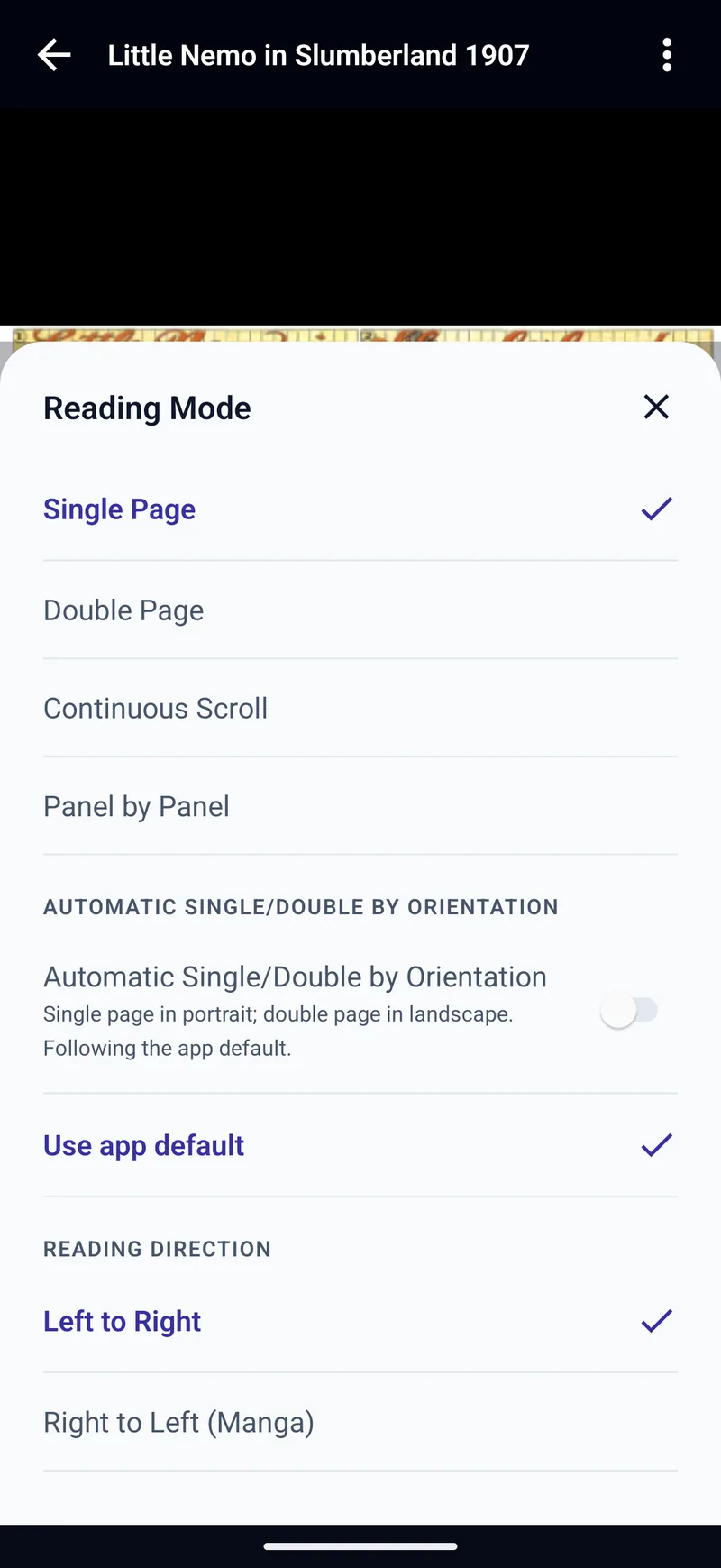
How to read a strip
- Put the episode in a CBZ, or another format TritonPanels opens. A folder of tall images becomes a CBZ if you zip it. See making a CBZ.
- Open it, tap the page, choose Reading Mode, then Continuous Scroll, and set Page fit to Fit Width.
- The pages stack in one column. Scroll. The place is kept.
Reading direction barely matters for a vertical strip. Right to left still matters if you switch that book back to single pages. Reading manga covers that direction switch.
Limits, plainly
- Episodes locked inside another company’s app are DRM. They will not open here.
- RAR5 CBRs will not open. Convert them to CBZ.
- Panel by Panel is the wrong mode for a single tall panel with no gutters. Those pages are shown whole, which is what you want for a strip anyway. Panel by panel on a phone is for grid pages.
- There is no account and no catalogue. You supply the files, from the device, a server, a drive or an offline copy.
From your own server
A webtoon stored as images on Komga or Kavita opens the same way once you pick Continuous Scroll for that book. Progress on those servers syncs both ways. An OPDS copy keeps progress on the device only. The Komga and Kavita pages describe the connection.
Frequently asked questions
Does TritonPanels have a webtoon mode?
It has Continuous Scroll. Set Page fit to Fit Width so the pages run as one strip. The control is not labelled Webtoon.
Can it log into a webtoon website or app?
No. It reads files and servers you already have. Episodes locked to another app will not open.
How should I pack a vertical episode?
Zip the page images into a CBZ, in order. Open that file and choose Continuous Scroll.
Will my place be saved?
Yes, on the device. On Komga and Kavita it is also written back to the server. OPDS progress stays on the device.
Sources
Checked 15 October 2026. Claims about other apps come from the pages linked below. TritonPanels claims come from this site. A store price is the price that listing showed, and it can differ by country.
Read your comics with TritonPanels
A comic and manga reader for iPhone, iPad and Android. CBZ, CBR, CB7, CBT, PDF and image-based EPUB from your device, your cloud, a network share or your own Komga, Kavita or OPDS server — single page, spreads, continuous scroll or Panel by Panel. No ads, no account. 14-day free trial, then a monthly or yearly subscription.
Your own files: TritonPanels reads comics you already have. It does not sell, host or supply comics, and it cannot open copy-protected (DRM) purchases that are locked to another store’s app. Komga, Kavita, Calibre, Dropbox and the other names on this page belong to their owners, who do not endorse TritonPanels.