 TritonPanels
Two different libraries
YACReader’s features page describes free, open-source apps for Windows, macOS and Linux, a server you can run on a NAS, a web UI, and native iOS and Android apps. Progress syncs with YACReaderLibrary. The same page says the iOS and Android apps both have panel by panel reading and automatic margin trimming. It does not mention Komga, Kavita or OPDS.
The US App Store listing for the iOS app was $4.99, version 3.41.0, updated 9 October 2026, requiring iOS 15.6. The description includes RAR5, continuous vertical scroll for webtoons, guided panel reading, and on iOS 18 on-device translation that can match speech-bubble colours. It says the desktop app is free. An Android price was not on the pages checked here.
TritonPanels has no desktop app and no server of its own. It reads a library you already have on the device or on Komga, Kavita or OPDS. Progress crosses devices only through Komga or Kavita. That rule is spelled out in syncing reading progress between devices.
Where YACReader is better
- A free desktop library and server. Windows, macOS and Linux, plus a NAS build and a web UI, at no charge. TritonPanels cannot replace that. If the collection already lives in YACReaderLibrary, their apps are the ones that sync it.
- A one-time iOS price. $4.99 on the US store, checked 15 October 2026. TritonPanels is a subscription after a 14-day trial, and there is no free version.
- RAR5. The features page and the iOS description both include it. TritonPanels reads RAR4 CBRs only.
- Comic Vine on the desktop, for titles, authors and story arcs, plus ComicInfo.xml import and export. TritonPanels reads ComicInfo.xml when it is already in the file. It does not scrape Comic Vine.
- Live translation that can match bubble colours, on iOS 18, on the device. TritonPanels has an experimental on-device translation too, and it needs iOS 18 on iPhone and iPad, but it does not claim colour matching. YACReader is ahead on that point.
- A lower iOS requirement. The US listing says iOS 15.6. TritonPanels needs iOS 17.
Where TritonPanels is better
- Komga and Kavita, directly. Two-way progress, no TritonPanels account, no YACReaderLibrary in the middle. Use this when the server you already run is one of those two.
- OPDS, including Calibre, read-only. YACReader’s features page does not mention OPDS.
- No second library to adopt if the files are already on the phone, a USB drive, SMB or a cloud folder. You do not have to stand up their server to read a CBZ.
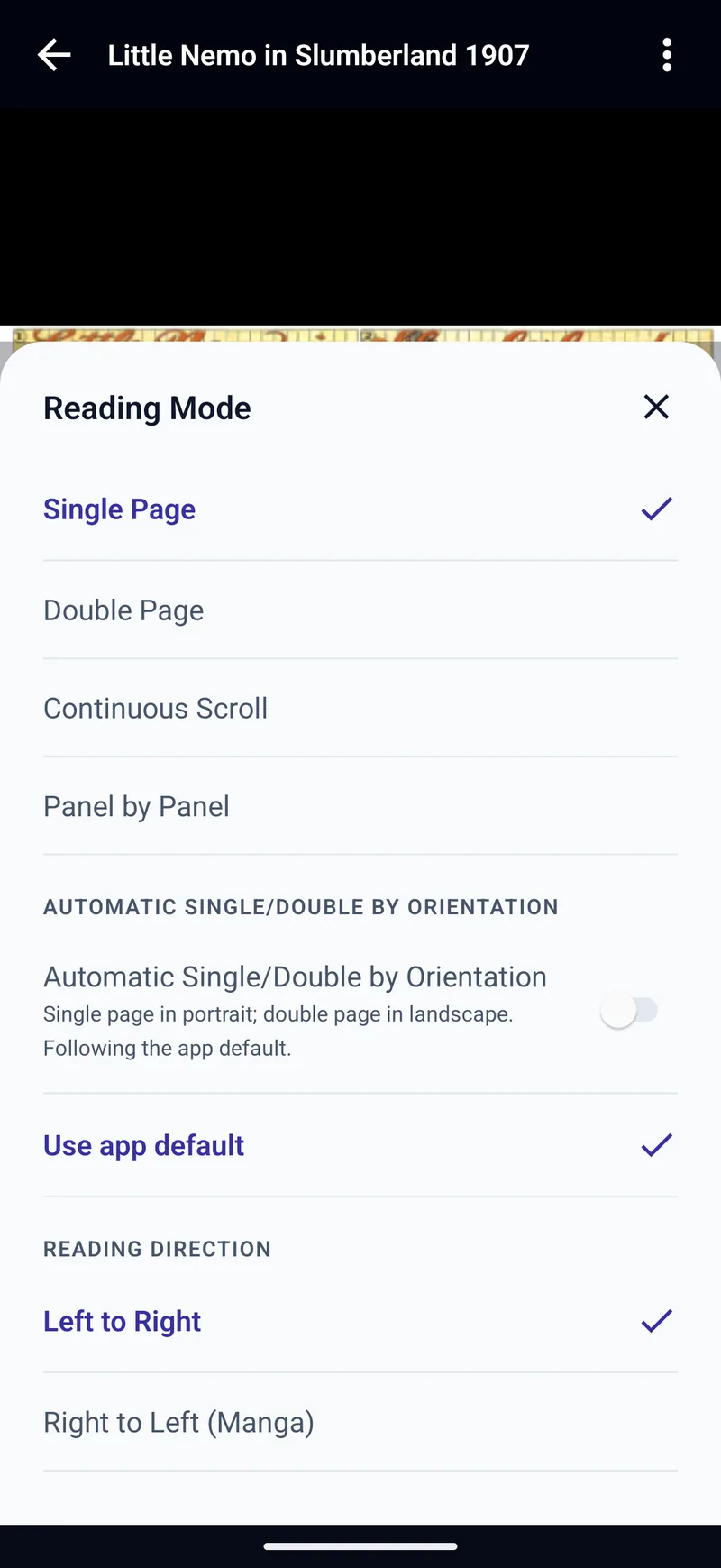
Right-to-left manga in TritonPanels is a setting, covered in reading manga on iPhone and Android. The iPhone roundup that includes both apps is best comic reader apps for iPhone and iPad.
Frequently asked questions
Should I use YACReader or TritonPanels?
Use YACReader when the library is YACReaderLibrary, or when you want a free desktop server and a one-time iOS purchase. Use TritonPanels when the server is Komga or Kavita, or when you do not want a desktop app.
Does YACReader open RAR5?
Yes. The features page says RAR including RAR5, and the US iOS listing says the same. TritonPanels does not open RAR5.
Does YACReader sync with Komga?
Its features page does not mention Komga, Kavita or OPDS. It describes progress sync with YACReaderLibrary.
How much is YACReader on Android?
An Android price was not on the pages checked here. The US iOS listing was $4.99. The desktop apps are free.
Sources
Checked 15 October 2026. Claims about other apps come from the pages linked below. TritonPanels claims come from this site. A store price is the price that listing showed, and it can differ by country.
Read your comics with TritonPanels
A comic and manga reader for iPhone, iPad and Android. CBZ, CBR, CB7, CBT, PDF and image-based EPUB from your device, your cloud, a network share or your own Komga, Kavita or OPDS server — single page, spreads, continuous scroll or Panel by Panel. No ads, no account. 14-day free trial, then a monthly or yearly subscription.
Your own files: TritonPanels reads comics you already have. It does not sell, host or supply comics, and it cannot open copy-protected (DRM) purchases that are locked to another store’s app. Komga, Kavita, Calibre, Dropbox and the other names on this page belong to their owners, who do not endorse TritonPanels.